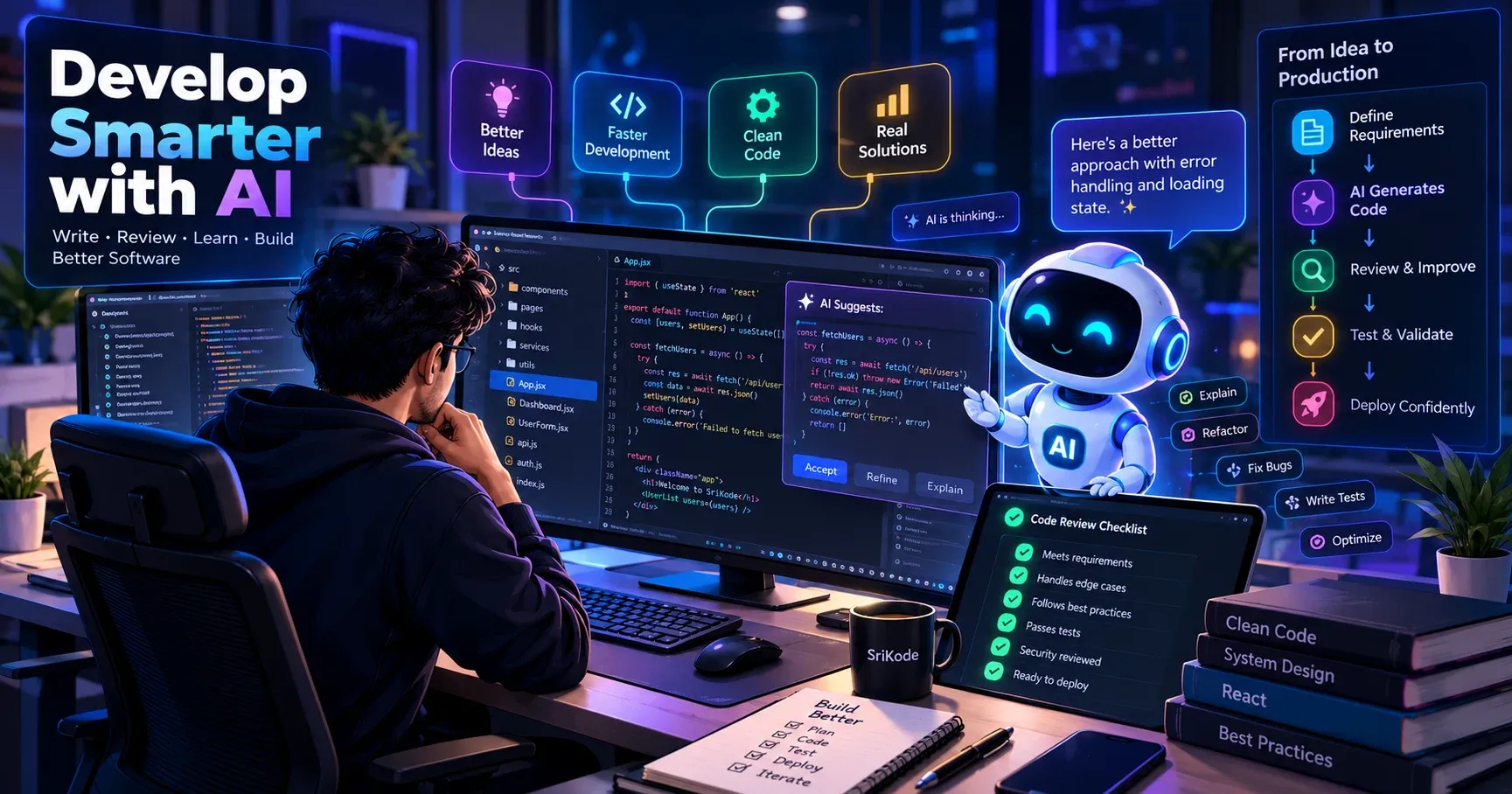
AI can generate code in seconds, but building reliable software requires more than typing instructions. Learn the essential skills developers need to review AI-generated code, solve problems, debug applications, design systems, and deliver production-ready software.
Introduction & Problem Context
Artificial intelligence has changed how developers write software. Modern AI coding assistants can generate React components, create API endpoints, explain unfamiliar code, suggest bug fixes, write tests, and help developers explore new technologies. Tasks that previously required hours of manual work can sometimes be completed in minutes.
This progress creates an important question: If AI can write code, what should developers focus on?
Some developers worry that programming fundamentals will become less important. Others believe that AI will eventually handle most software development tasks. Both perspectives overlook an important detail: writing code is only one part of building reliable software.
Consider a typical web application. It needs clear requirements, a suitable architecture, secure authentication, reliable database operations, useful error messages, automated tests, and a user experience that solves a real problem. Generating a component does not guarantee that all these pieces work together correctly.
AI can produce convincing code that contains incorrect assumptions, missing edge cases, inefficient queries, or security vulnerabilities. Developers must decide whether the generated solution is appropriate, verify its behavior, and maintain it after deployment.
The developer's role is therefore changing. Instead of spending all their time translating requirements into syntax, developers can spend more time understanding problems, evaluating solutions, and improving software quality.
This guide explains the skills that matter most in an AI-assisted development workflow, with practical examples and techniques you can apply to real projects.
Key Concepts & Architecture Overview
An effective AI-assisted workflow combines the speed of code generation with human judgment and engineering discipline.
The goal is not to accept everything AI produces or avoid AI altogether. The goal is to use it where it helps while maintaining control over the final implementation.
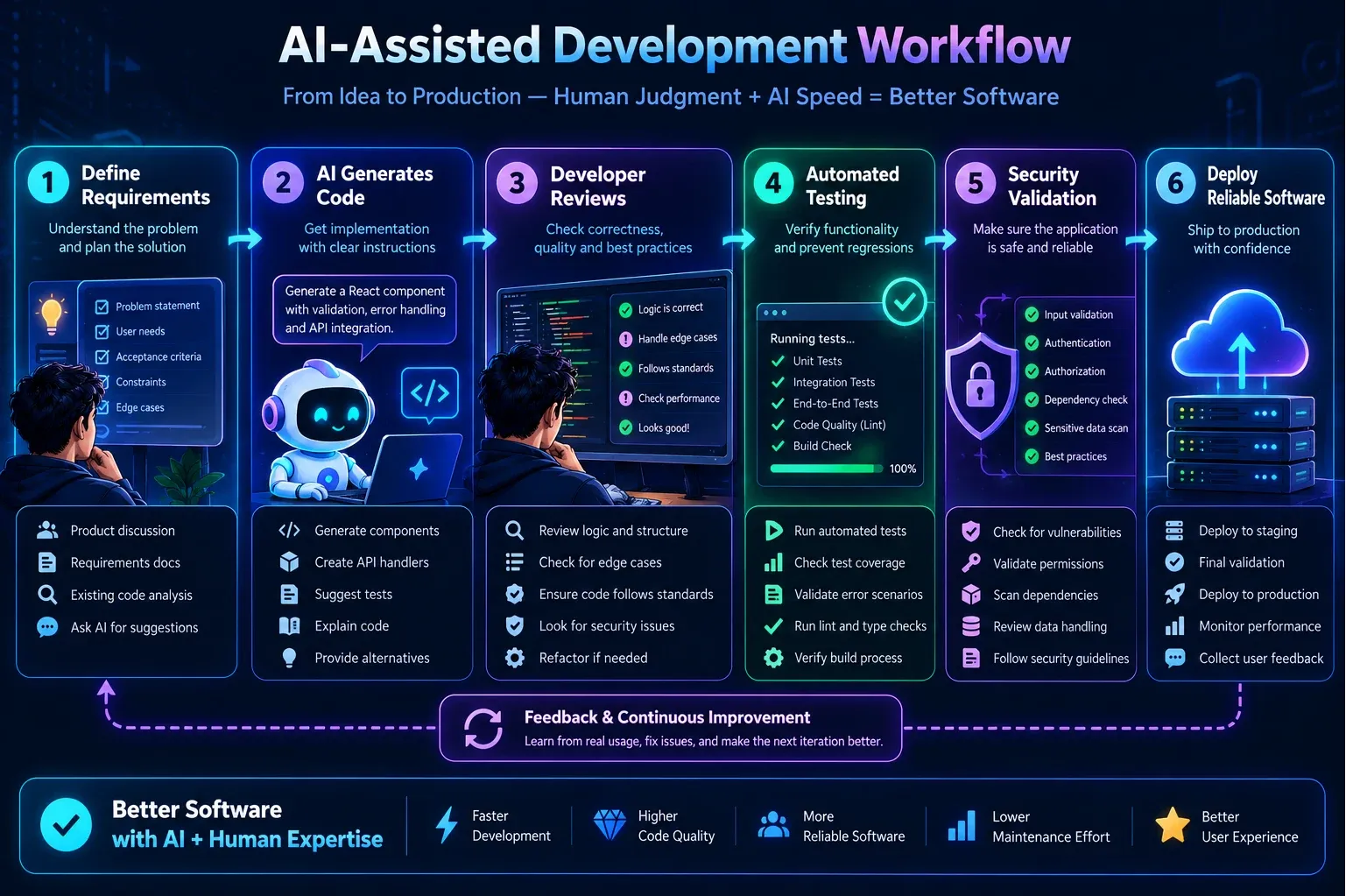
The essential responsibilities of a modern developer
| Responsibility | How AI helps | What the developer must do |
|---|---|---|
| Problem analysis | Summarizes requirements and explores possible solutions | Confirm the actual business need and constraints |
| Code generation | Produces functions, components, and API handlers | Check correctness, readability, and maintainability |
| Debugging | Suggests likely causes and possible fixes | Reproduce issues and verify the actual root cause |
| Architecture | Proposes structures and design patterns | Evaluate trade-offs and system-wide effects |
| Testing | Generates test cases and test code | Confirm tests cover real requirements and edge cases |
| Security | Identifies potential vulnerabilities | Validate authorization, data handling, and security controls |
| Documentation | Drafts explanations and technical notes | Verify accuracy and keep documentation current |
| Delivery | Helps automate repetitive tasks | Confirm the application is ready for production |
How React 18 and React 19 compare in AI-assisted development
React 18 and React 19 are frontend library versions, not AI coding tools. However, their differences illustrate an important principle: developers need to understand framework capabilities rather than blindly accept generated implementations.
| Area | React 18 | React 19 |
|---|---|---|
| Form actions | Typically handled with event handlers and manual state management | Supports Actions through functions used with form and transition workflows |
| Form submission state | Commonly implemented with custom state or libraries | Provides useActionState for action results and pending state |
| Optimistic updates | Usually implemented with local state and custom rollback logic | Provides useOptimistic for temporary optimistic UI |
| Pending transitions | Supports useTransition | Extends its usefulness alongside Actions and asynchronous updates |
| Document metadata | Often managed through external libraries or framework features | Supports rendering document metadata from components |
| Ref handling | Often uses forwardRef for component APIs | Supports passing ref as a prop to function components |
| Developer responsibility | Validate state, effects, errors, and data flow | The same responsibilities remain, even with newer APIs |
React 19 introduces useful APIs, but it does not automatically make applications secure, bug-free, or production-ready. Always verify framework behavior against the documentation for the version used by your project.
Prerequisites
Before applying the techniques in this article, you should understand the following concepts:
- JavaScript fundamentals, including promises, async functions, objects, arrays, and error handling.
- React components, props, state, hooks, and rendering.
- Basic HTTP concepts, REST APIs, and client-server communication.
- Git fundamentals, including reviewing diffs and reverting changes.
- Browser developer tools and basic automated testing.
- Familiarity with an AI coding assistant such as GitHub Copilot, ChatGPT, or another tool integrated into your development environment.
You do not need to become an AI expert. You need enough technical knowledge to evaluate generated code and understand its effects on your application.
Step 1: Understand the Problem Before Generating Code
The first responsibility of a developer is to understand what needs to be built.
Imagine that your manager asks you to create a user registration form. An AI assistant can quickly generate the form, validation logic, and an API request. However, the initial request may not explain what should happen when the email address already exists, the server times out, or the user submits the form twice.
If those requirements are not considered, the generated implementation may look correct while failing in real situations.
Define the requirements first
Before asking AI to implement a feature, identify:
- The purpose of the feature.
- The expected user behavior.
- The data the feature receives and returns.
- The validation and business rules.
- Possible failure conditions.
- Security and accessibility requirements.
- The conditions that determine whether the feature is complete.
For example, a registration form might require valid email input, a password of sufficient length, duplicate-account detection, visible submission feedback, and server-side validation.
These details give AI a much clearer target.
Ask AI to analyze before implementing
A useful prompt is:
Review the plan before asking for implementation. This simple step can prevent unnecessary file changes and reduce the risk of breaking existing functionality.
Treat requirements as the contract for the implementation. If the requirements are unclear, ask questions before generating code.
Step 2: Learn to Review AI-Generated Code
AI-generated code can appear professional without being correct. Formatting, descriptive variable names, and a clean component structure are useful, but they do not prove that the implementation satisfies the requirements.
Developers should review both the code itself and its behavior.
Example: Reviewing an API response
Suppose an AI assistant generates this JavaScript function:
The function may work when the server returns a successful JSON response. However, it does not check the HTTP status or handle network failures explicitly.
A more robust implementation is:
This version checks the HTTP response and validates the expected data structure.
It is still important to decide where errors should be handled. A React component might display an error message, while a shared API layer could provide consistent logging and response handling.
The correct implementation depends on the application's architecture.
A practical code review checklist
When reviewing generated code, ask:
- Does the implementation satisfy every requirement?
- Are variables, functions, and components named clearly?
- Are empty values and unexpected API responses handled?
- Are promises and errors handled appropriately?
- Does the code introduce unnecessary dependencies?
- Is the implementation consistent with existing project patterns?
- Could the change affect other components or API consumers?
- Is sensitive information exposed?
- Can another developer understand and maintain the solution?
Do not approve code simply because it compiles. Compilation is one check, not proof of correctness.
Step 3: Build Strong Programming Fundamentals
AI can help developers write code without memorizing every syntax detail. However, understanding fundamental concepts remains essential.
A developer who understands JavaScript promises can identify incorrect asynchronous behavior. Someone familiar with React state can recognize unnecessary effects or incorrect state updates. A developer who understands database indexes can question a query that becomes slow as the data grows.
Without these fundamentals, evaluating AI suggestions becomes much harder.
What should developers learn?
| Skill | Important concepts | Practical benefit |
|---|---|---|
| JavaScript | Closures, promises, async/await, modules, error handling | Understand generated logic and asynchronous behavior |
| React | Props, state, hooks, rendering, component composition | Identify state bugs and unnecessary complexity |
| Backend development | HTTP, middleware, validation, authorization | Build reliable APIs and protect sensitive operations |
| Databases | Schema design, indexes, relationships, transactions | Avoid incorrect data operations and performance issues |
| Testing | Unit, integration, and end-to-end tests | Verify behavior before delivery |
| Data structures | Arrays, maps, sets, trees, algorithmic complexity | Evaluate efficiency and solve unfamiliar problems |
| System design | Caching, service boundaries, reliability, scalability | Make better architectural decisions |
You do not need to memorize every method or API. Learn the concepts, practice applying them, and use documentation when you need specific details.
Use AI as a learning partner
Instead of asking only for a completed solution, ask questions such as:
This approach helps you improve your skills while completing real work.
Step 4: Improve Your Debugging Skills
Debugging means finding the actual cause of a problem, not just applying a suggested fix.
AI can explain error messages and generate possible solutions, but it does not always have the complete runtime context. Its suggestions should be treated as hypotheses that need verification.
Follow a repeatable debugging process
- Reproduce the problem consistently.
- Read the complete error message and stack trace.
- Inspect the relevant variables, state, and network requests.
- Identify the smallest part of the application that demonstrates the issue.
- Develop one or more possible explanations.
- Test the most likely explanation.
- Apply a targeted fix and run regression tests.
For example, if a React filter displays stale data, the cause might be an outdated closure, incorrect state handling, a race between API requests, or a backend response that does not match the expected structure.
Changing random lines of code may hide the symptom without fixing the underlying problem.
Use AI with real debugging evidence
Provide AI with the relevant component, error message, API response, and steps needed to reproduce the issue. Remove passwords, tokens, and other sensitive information before sharing logs or code.
Ask it to identify possible causes and explain how to verify each one.
Then use your browser tools, debugger, tests, and application logs to determine which explanation is correct.
Do not repeatedly apply AI-generated fixes without understanding their effects. One change can hide the original error, introduce another bug, or create an endless cycle of temporary workarounds.
Step 5: Understand Architecture and System Design
A working component is not necessarily part of a well-designed application.
Real applications contain frontend components, APIs, databases, authentication, authorization, background jobs, and external services. These parts depend on each other, so decisions made in one area can affect the entire system.
AI can generate individual pieces quickly, but developers must ensure that those pieces fit together correctly.
Example: Designing a feature
Consider an employee management dashboard.
A weak implementation might put API requests, permission checks, data transformations, and complex UI state into one large component.
A more maintainable design separates responsibilities:
- The page component coordinates the feature.
- Reusable components display tables, forms, and status indicators.
- A service module handles API communication.
- The backend validates input and enforces permissions.
- The database layer manages persistent data.
- Tests verify business rules and expected behavior.
The exact structure depends on the project's size and conventions. Not every application needs a complex architecture.
The objective is to create clear boundaries that make the code easier to understand, test, and extend.
Ask architectural questions before accepting a solution
- Is this logic in the correct layer?
- Can the component be reused without unnecessary complexity?
- Does the API contract match the frontend's expectations?
- Are authorization checks enforced on the server?
- Could the change break another feature?
- Will the design remain understandable when requirements change?
AI can suggest several approaches, but the developer must evaluate their trade-offs.
Step 6: Write Better Instructions for AI
A vague instruction usually produces a vague solution. Detailed instructions help AI understand the project's requirements and constraints.
Compare these two prompts:
Weak prompt:
Better prompt:
The second prompt provides context, constraints, and acceptance criteria.
A reliable prompting workflow
For larger tasks, divide the work into stages:
- Analyze: Ask AI to inspect the relevant code and requirements.
- Plan: Request a small implementation plan.
- Implement: Make focused changes rather than generating the entire application at once.
- Review: Inspect the diff and examine any unexpected modifications.
- Validate: Run tests, linting, type checks, and the production build.
- Document: Summarize what changed and any remaining limitations.
This process makes it easier to detect mistakes early and maintain control over the codebase.
Step 7: Make Testing a Daily Habit
A feature that works for one input may fail for another. Testing helps identify these failures before users encounter them.
AI can generate unit tests, integration tests, and edge-case scenarios. However, generated tests also require review.
A test may pass because it checks the wrong behavior or simply repeats the assumptions made by the implementation.
Test realistic scenarios
For a registration form, consider the following cases:
| Scenario | Expected behavior |
|---|---|
| Valid registration details | Account is created successfully |
| Missing required fields | Validation prevents submission |
| Invalid email address | Appropriate validation error is displayed |
| Existing email address | Duplicate registration is rejected |
| Server returns an error | A useful error message is displayed |
| Network request fails | The user receives clear feedback |
| User submits repeatedly | Duplicate operations are prevented where necessary |
These tests should reflect actual business requirements.
Use unit tests for isolated logic, integration tests for connected parts of the system, and end-to-end tests for important user journeys.
After an AI-generated change, run the relevant existing tests as well. A feature can work independently while accidentally breaking another part of the application.
Step 8: Prioritize Security and Reliability
Security is an area where accepting generated code without review can create serious problems.
An AI-generated implementation might expose a secret, trust unvalidated input, or allow users to access resources they do not own.
These issues can remain invisible during ordinary testing.
Essential security checks
- Validate untrusted input on the server.
- Enforce authentication and authorization for protected operations.
- Never place private API keys or server secrets in frontend code.
- Use secure session and token-handling practices.
- Avoid exposing sensitive information in API responses and logs.
- Use appropriate database query protections.
- Check file uploads for type, size, and access restrictions.
- Handle failures without revealing internal details to users.
For example, hiding an administrator button in React does not prevent an ordinary user from calling the underlying API directly. The backend must enforce the permission check.
Reliability matters too. Consider what happens when a service becomes unavailable, a request times out, or a user retries an operation.
AI can help identify potential risks, but the final implementation should follow the application's security requirements and trusted engineering guidance.
Never commit generated code containing real credentials, private tokens, or sensitive production data. Review configuration files and diffs before pushing changes to a shared repository.
Step 9: Strengthen Communication and Collaboration
Software development is a team activity. Developers work with product managers, testers, designers, clients, and other engineers.
Even a technically correct implementation can fail if it solves the wrong problem.
Suppose a manager asks you to improve a report page because users find it slow. You might immediately optimize a database query. However, the actual problem could be an unclear filter interface or a confusing loading state.
Clarifying the problem before implementation can save hours of unnecessary work.
Developers should learn to:
- Ask precise questions about unclear requirements.
- Explain technical trade-offs in simple language.
- Communicate progress and blockers early.
- Write useful pull request descriptions.
- Document decisions that affect future maintenance.
- Work constructively with testers and reviewers.
AI can help draft documentation, summarize changes, and prepare technical explanations. Human communication remains necessary to confirm expectations and make shared decisions.
Step 10: Take Ownership of the Final Product
AI-generated code does not remove the developer's responsibility for what gets delivered.
Before marking a task complete, verify that the implementation meets the requirements, handles important failure conditions, and integrates correctly with the existing application.
A practical completion checklist is:
- [ ] Requirements and acceptance criteria are satisfied.
- [ ] Relevant edge cases have been tested.
- [ ] Existing features have been checked for regressions.
- [ ] Security and authorization have been reviewed.
- [ ] Tests, lint checks, and builds have been run where applicable.
- [ ] Unexpected changes have been removed.
- [ ] The implementation is understandable and maintainable.
- [ ] Known limitations are documented.
Do not claim that tests passed unless you actually ran them. Similarly, do not assume a production deployment is safe simply because the local build succeeds.
The developer's responsibility includes knowing what has been verified and what remains uncertain.
Step 11: Build a Practical AI-Assisted Development Routine
You do not need to change your entire workflow overnight. Start by incorporating a few disciplined habits into everyday development.
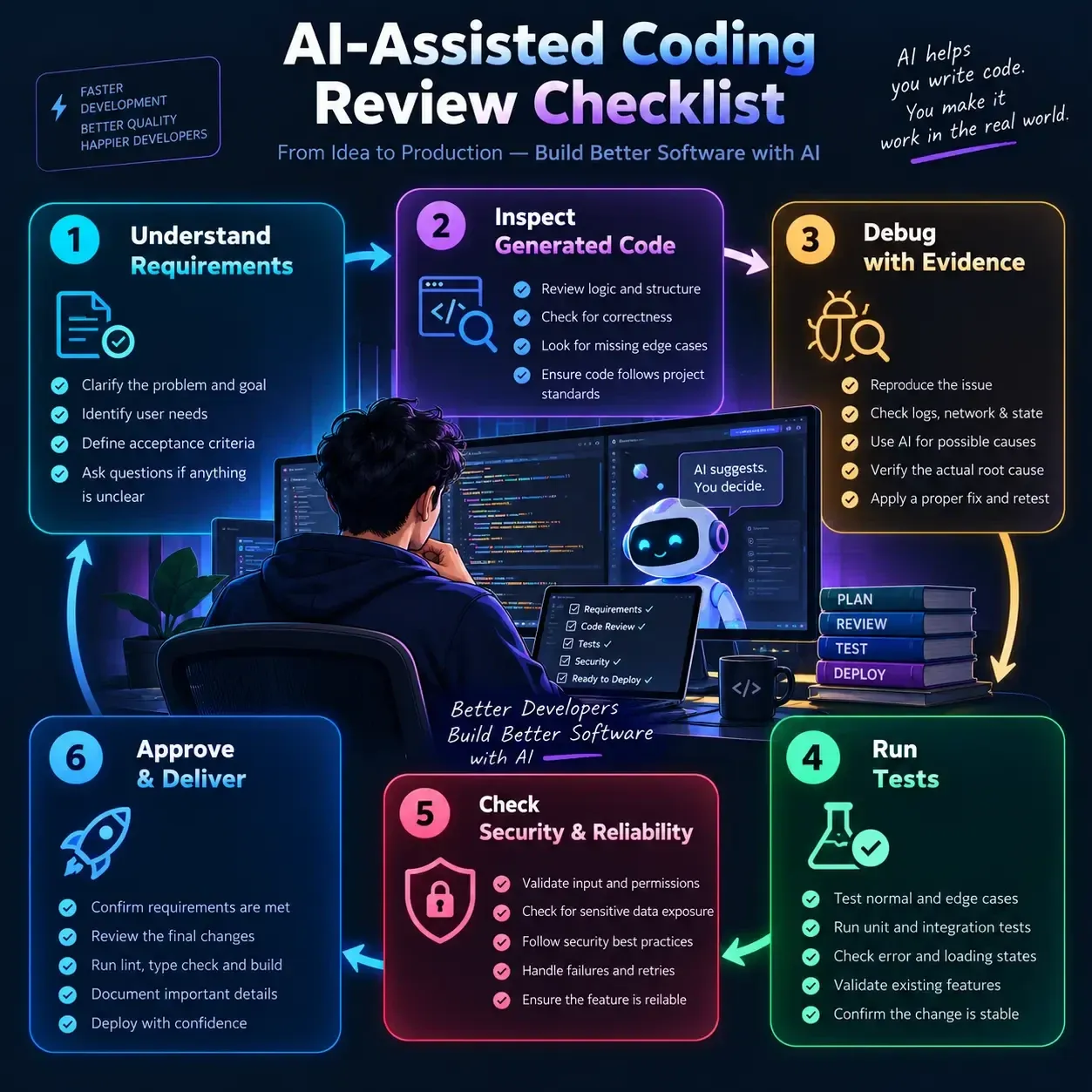
Before coding
Understand the task, inspect existing patterns, and identify constraints. Ask AI to analyze unfamiliar code before suggesting changes.
During implementation
Make focused changes, understand important decisions, and avoid modifying unrelated files. Use AI to explain unfamiliar logic rather than accepting it without investigation.
After implementation
Review the diff, run relevant tests, inspect failure scenarios, and check for security issues. Record any unresolved problems honestly.
After delivery
Pay attention to bugs, performance, and feedback. If an issue appears, investigate its root cause and improve the tests or requirements so that the same problem is less likely to return.
Over time, this routine helps you gain the productivity benefits of AI without losing control over the software.
Common Gotchas & Troubleshooting
AI tools can produce plausible but incorrect code. Treat generated output as a proposed implementation, not as a verified solution.
Mistake 1: Accepting code because it compiles
Why it happens: Developers confuse syntactic correctness with functional correctness.
Better approach: Test the expected behavior, including edge cases and failure conditions. Review the logic against the requirements.
Mistake 2: Asking AI to change too many files at once
Why it happens: Large tasks seem faster when delegated in one prompt.
Better approach: Break the task into smaller changes. Review each group of modifications and run focused tests before continuing.
Mistake 3: Copying fixes without understanding them
Why it happens: The immediate error disappears, creating the impression that the problem is solved.
Better approach: Reproduce the issue, understand the root cause, and verify the fix with a test or another repeatable check.
Mistake 4: Trusting generated tests blindly
Why it happens: Passing tests create a false sense of confidence.
Better approach: Check whether each test verifies a real requirement. Include failure cases and test behavior independently of the implementation's assumptions.
Mistake 5: Ignoring security because the feature works
Why it happens: Security failures are often invisible during normal UI testing.
Better approach: Review authorization, validation, sensitive data, and server-side protections explicitly.
Mistake 6: Becoming dependent on AI for every decision
Why it happens: Immediate generated answers can feel more efficient than investigating a problem.
Better approach: Try to understand the issue yourself first. Use AI to explore alternatives, explain concepts, and review your reasoning.
Mistake 7: Assuming newer tools guarantee better engineering
Why it happens: Developers expect new models or frameworks to eliminate old problems.
Better approach: Learn the tool's capabilities and limitations. Keep applying sound engineering practices regardless of which AI model or framework version you use.
Summary & Key Takeaways
AI is changing how software gets written, but reliable software still requires careful engineering.
- Understand the problem first. Clear requirements lead to better implementations.
- Review generated code. Verify correctness, readability, edge cases, and maintainability.
- Strengthen fundamentals. JavaScript, React, databases, APIs, and debugging remain valuable.
- Debug systematically. Use evidence to identify root causes rather than applying random fixes.
- Think about architecture. Ensure that components, APIs, and data layers work together.
- Write precise prompts. Give AI useful context, constraints, and acceptance criteria.
- Test thoroughly. Review generated tests and validate realistic scenarios.
- Protect the application. Check authentication, authorization, input validation, and sensitive data handling.
- Communicate clearly. Understand requirements and explain technical decisions.
- Own the result. Verify what you deliver and be honest about what has not been tested.
The most effective developers will not necessarily be those who write the most code manually or generate the most code with AI. They will be those who understand the problem, use the right tools, evaluate solutions critically, and consistently deliver reliable software.
Let AI accelerate your work, but keep your engineering judgment at the center of every important decision.
Water Buddy — The Desktop Buddy That Reminds You to Drink Water
A friendly character walks quietly across your screen while you work, study, or game. Gentle walk-in reminders, 1-click logging, and zero annoying popups.
Frequently Asked Questions
Quick answers to common questions about this tutorial
AI is automating more programming tasks, but software development includes much more than generating code. Requirements analysis, architecture, security, debugging, testing, collaboration, and maintenance remain important. Developers who learn to use AI effectively while strengthening their technical judgment will be better prepared for changing expectations.
Written by
SriKode Team
Practical, production-ready web development tutorials, guides, and architectural patterns.
Water Buddy — The Desktop Buddy That Reminds You to Drink Water
A friendly character walks quietly across your screen while you work, study, or game. Gentle walk-in reminders, 1-click logging, and zero annoying popups.